Choosing the Case: NAS Meets GPU in a Compact Box
Seven NAS-oriented cases evaluated for a homelab that needs mATX, full-height PCIe slots, and as many 3.5" drive bays as possible — and why an obscure AliExpress case won.
On this page
The hardware decision is made: a custom mATX build. Now it’s time to actually build one. And the first component choice — the one that constrains everything else — is the case.
This sounds trivial. It’s a box. Pick one that fits your motherboard and move on. But in the homelab world, the case is the architecture. It determines how many drives you can fit, what kind of GPU (if any) you can install, what PSU form factor you’re locked into, and whether the whole thing can sit quietly in a living room or demands a closet.
What I Need
From the hardware analysis, three non-negotiable requirements:
- mATX motherboard support — ITX is too limiting for expansion. mATX gives me 4 RAM slots, more SATA ports, and more PCIe lanes
- Full-height PCIe slots — a GPU for AI inference must be full-height. Low-profile only is a dealbreaker, no exceptions
- Multiple 3.5” drive bays — at least 4, ideally 6-8, for a proper ZFS array with room to grow
- Visually acceptable — this won’t be hidden in a closet. It sits in the living room, so it needs to look decent as a visible piece of the house
- Hot-swap drive bays — if this is a NAS, I want to swap a failed drive without opening the case, pulling cables, and unscrewing brackets. Front-accessible hot-swap trays are a must
And the nice-to-haves:
- Compact — this lives in an apartment, not a rack room. Smaller is better, within reason
- Reasonable price — this is a homelab, not a production cluster
Let’s go through every case I seriously considered.
Fractal Design Node 304
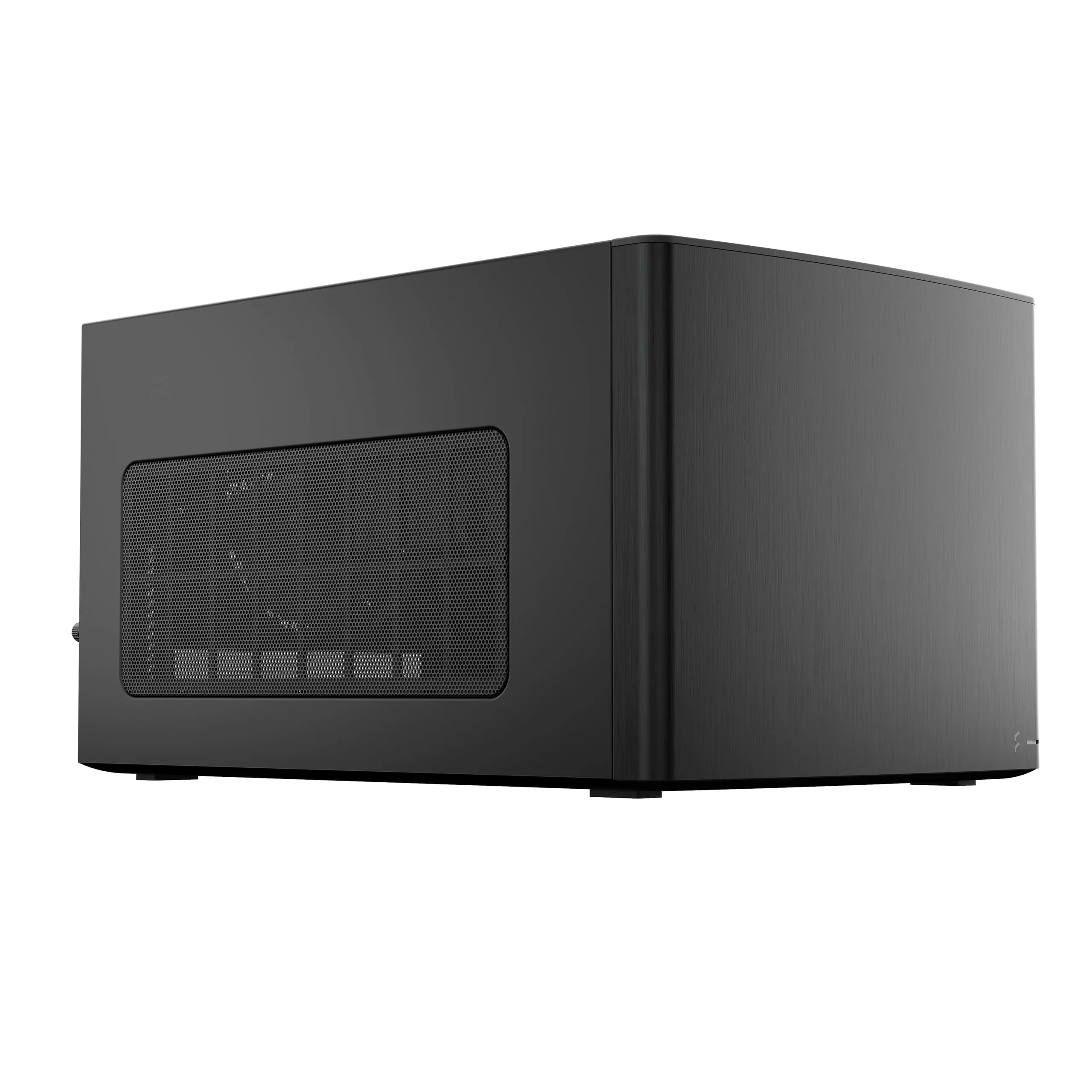
The classic homelab NAS case. The Node 304 has been the default recommendation in every “build a NAS” guide for a decade, and for good reason — it’s compact, well-ventilated, and holds 6 drives.
| Spec | Value |
|---|---|
| Motherboard | ITX only |
| 3.5” Bays | 6 |
| 2.5” Bays | — |
| PCIe Slots | 2 |
| PSU | ATX (≤160mm) |
| GPU | Max 310mm (with 2 HDD removed) |
| Volume | 19.2L |
| Dimensions | 250 × 210 × 374mm |
Why I passed: ITX only. That single constraint eliminates it immediately. With ITX I’m limited to 2 RAM slots (32 GB practical max), fewer SATA ports, and no room for expansion. The Node 304 is perfect for a dedicated NAS appliance — but I need more than that.
The GPU support is also conditional: you lose 2 of the 6 drive bays to fit anything longer than a half-height card. That drops NAS capacity to 4 drives, which defeats half the point.
And then there’s the drives themselves — all internally mounted. No hot-swap, no front-accessible trays. Every disk operation means opening the case, disconnecting cables, unscrewing brackets. For a machine that’s supposed to act as a NAS, that’s a huge disappointment.
Fractal Design Node 804
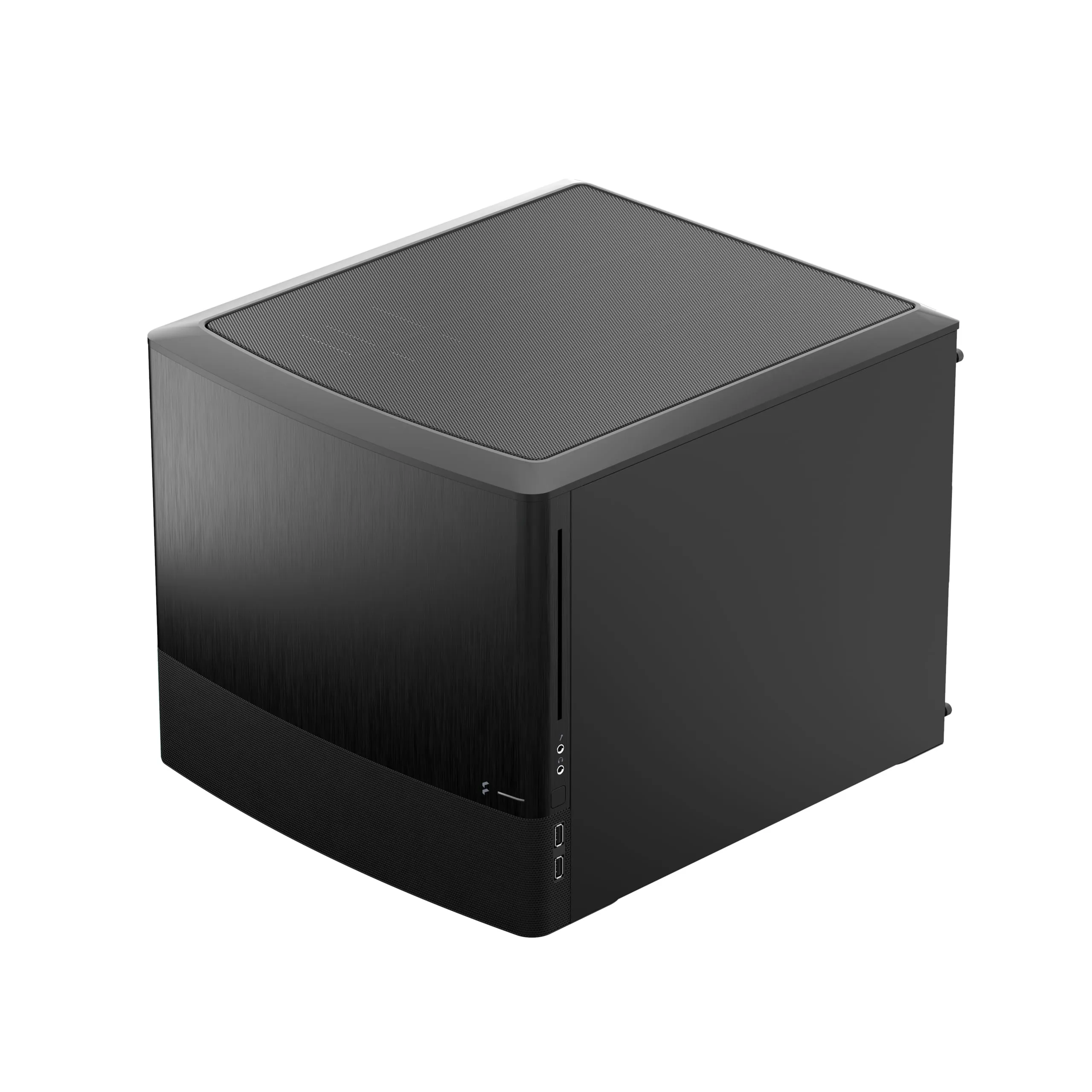
The Node 304’s bigger sibling. The 804 is a dual-chamber mATX case — motherboard and drives live in separate compartments with independent airflow. It’s the “do everything” case for homelabs.
| Spec | Value |
|---|---|
| Motherboard | mATX / ITX |
| 3.5” Bays | 8 + 2 extra |
| 2.5” Bays | 2 |
| PCIe Slots | 5 (full-height) |
| PSU | ATX |
| GPU | Max 320mm |
| Volume | 40.3L |
| Dimensions | 344 × 307 × 389mm |
What’s good: On paper, the Node 804 checks every box. mATX, 8+ drive bays, full-height PCIe, ATX PSU, excellent thermals from the dual-chamber design. It’s been the gold standard for mATX NAS builds.
Why I passed: It’s massive. At 40.3 liters, it’s essentially the size of a small desktop tower laid on its side. The dual-chamber design is elegant engineering, but it roughly doubles the footprint compared to what the components actually need. For a server closet, that’s fine. For my living room shelf, it’s a problem.
Same story as its smaller sibling on the drive side — no hot-swap. All 8 drives are mounted internally on traditional brackets. For a case that’s explicitly designed as a NAS platform, the lack of front-accessible hot-swap trays is baffling.
Also — and this is a minor point — it’s getting genuinely hard to find. Fractal released the 804 back in 2014 and it’s approaching end-of-life in most markets. Availability is spotty, and prices reflect scarcity rather than value.
Jonsbo N2
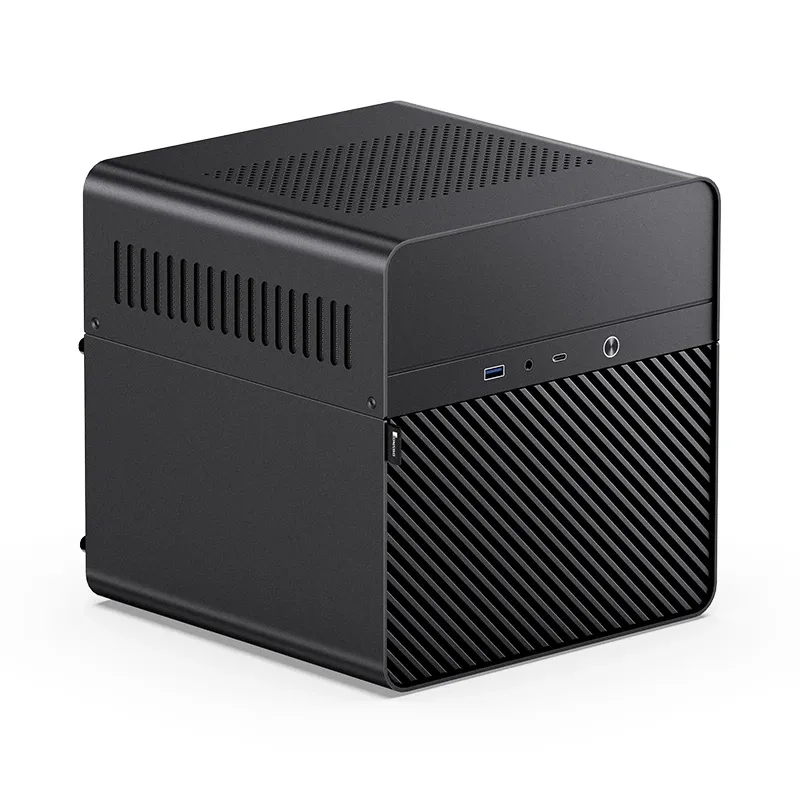
The tiniest NAS case I found. The N2 is a perfect 222.5mm cube — genuinely beautiful design with an all-aluminum shell.
| Spec | Value |
|---|---|
| Motherboard | ITX only |
| 3.5” Bays | 5 |
| 2.5” Bays | 1 |
| PCIe Slots | 1 (low-profile only) |
| PSU | SFX (≤150mm) |
| GPU | Max 197mm (low-profile) |
| Volume | ~11L |
| Dimensions | 222.5 × 222.5 × 224mm |
Why I passed: Same ITX problem as the Node 304, but worse in every expansion dimension. One low-profile PCIe slot means no real GPU, ever. SFX PSU adds cost. The 5 drive bays are decent for the size, but with no GPU capability and ITX-only, this is a pure storage appliance. A beautiful one, but not what I need.
Jonsbo N3
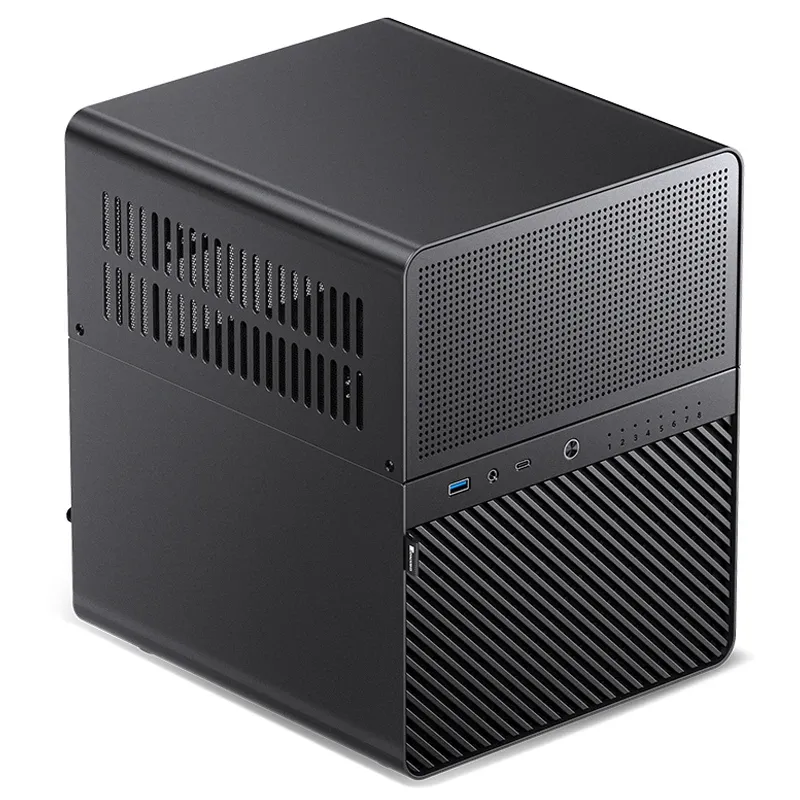
The N3 ups the drive count to 8 while staying relatively compact. It’s the most storage-dense ITX case on the market.
| Spec | Value |
|---|---|
| Motherboard | ITX only |
| 3.5” Bays | 8 |
| 2.5” Bays | 1 |
| PCIe Slots | 2 |
| PSU | SFX (≤105mm) |
| GPU | Max 250mm |
| Volume | ~18.3L |
| Dimensions | 233 × 262 × 298mm |
Why I passed: Still ITX only. The 8 drive bays are impressive, and the 2 PCIe slots with up to 250mm GPU clearance are actually usable — you could squeeze in a compact single-fan GPU. But the SFX PSU requirement (≤105mm length!) limits power supply options severely, and ITX still caps RAM at 2 slots. Close, but the motherboard constraint kills it.
Jonsbo N4
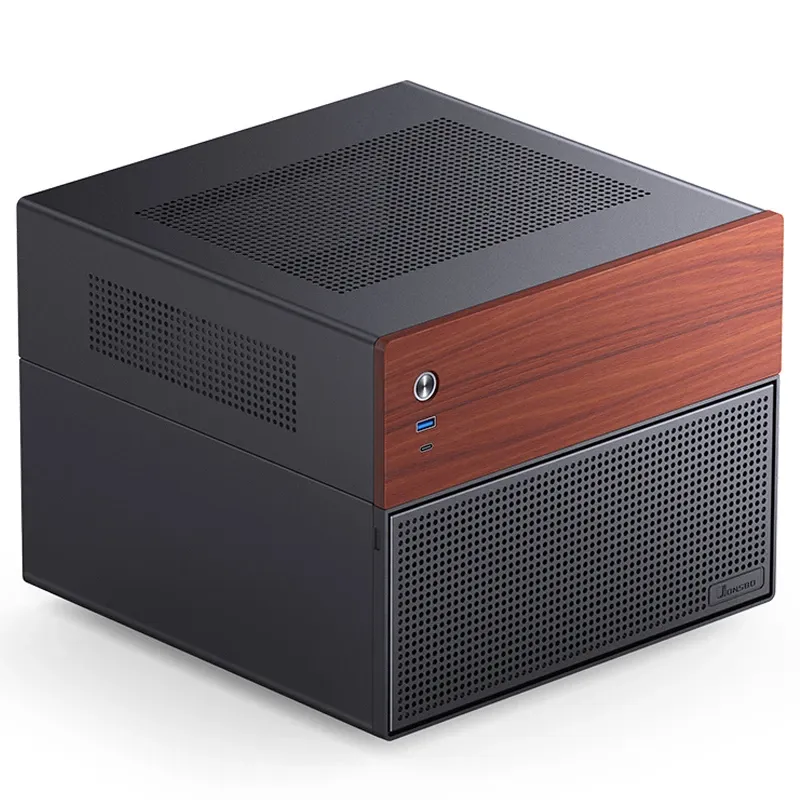
This is the one that hurts. The N4 is, aesthetically, the best-looking NAS case on the market. That walnut veneer front panel is stunning — it looks like a piece of furniture, not a computer. And it supports mATX, which should make it the obvious winner.
| Spec | Value |
|---|---|
| Motherboard | mATX / ITX |
| 3.5” Bays | 6 |
| 2.5” Bays | 2 |
| PCIe Slots | 4 (low-profile only) |
| PSU | SFX (≤125mm) |
| GPU | Max 230mm (low-profile) |
| Volume | ~19.6L |
| Dimensions | 286 × 300 × 228mm |
Why I passed: Because it’s a trap.
The N4 accepts mATX motherboards. It has 4 PCIe slots. It supports 6 drives. On paper, this is perfect. But those 4 PCIe slots? Low-profile only. Every single one of them. You can install a mATX board with 4 physical x16/x4/x1 slots, but you cannot put a standard full-height GPU in any of them.
This is the most frustrating design decision in the entire NAS case market. The whole point of choosing mATX over ITX is expandability — specifically, the ability to run a real GPU for AI inference. The N4 gives you the motherboard compatibility and then immediately takes away the one thing you need it for. It’s mATX with ITX limitations.
The walnut panel is gorgeous. The case itself is beautifully built. But “beautiful and useless” isn’t a valid spec for a build that needs to run Ollama with a GPU.
Jonsbo N5
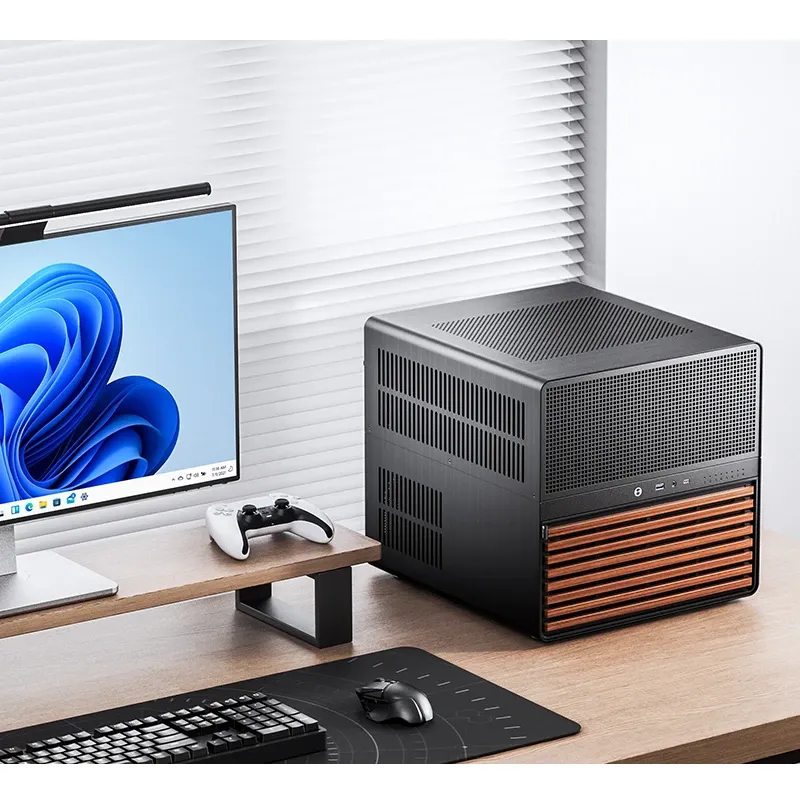
The biggest Jonsbo NAS case, and the one that actually does everything. The N5 supports up to E-ATX motherboards, 12 hot-swap drive bays, and 8 full-height PCIe expansion slots. It also has a wood front panel for aesthetics.
| Spec | Value |
|---|---|
| Motherboard | ITX / mATX / ATX / E-ATX |
| 3.5” Bays | 12 (hot-swap) |
| 2.5” Bays | 2-4 |
| PCIe Slots | 8 (full-height) |
| PSU | ATX (170-240mm) |
| GPU | Max 325-350mm |
| Volume | ~50.2L |
| Dimensions | 355 × 403 × 350mm |
What’s good: Everything. Literally everything is supported. E-ATX, 12 drives, full-height GPU, ATX PSU, massive cooling support (240/280mm AIO plus multiple fan positions). If you’re building a no-compromise home server, this is the case.
Why I passed: Price and size. The N5 runs around €250-300, which is the most expensive case in this comparison by a wide margin. And at 50+ liters, it’s even bigger than the Node 804. It’s a serious piece of hardware — basically a small server chassis — and my build doesn’t need 12 drive bays or 8 expansion slots. I’d be paying for capacity I’ll never use, and dedicating desk/shelf space I don’t have.
The N5 is the right case for someone building a 12-bay Unraid server with a multi-GPU setup. For my mATX build with 4-8 drives and one GPU, it’s overkill in every dimension.
Sagittarius (AliExpress)
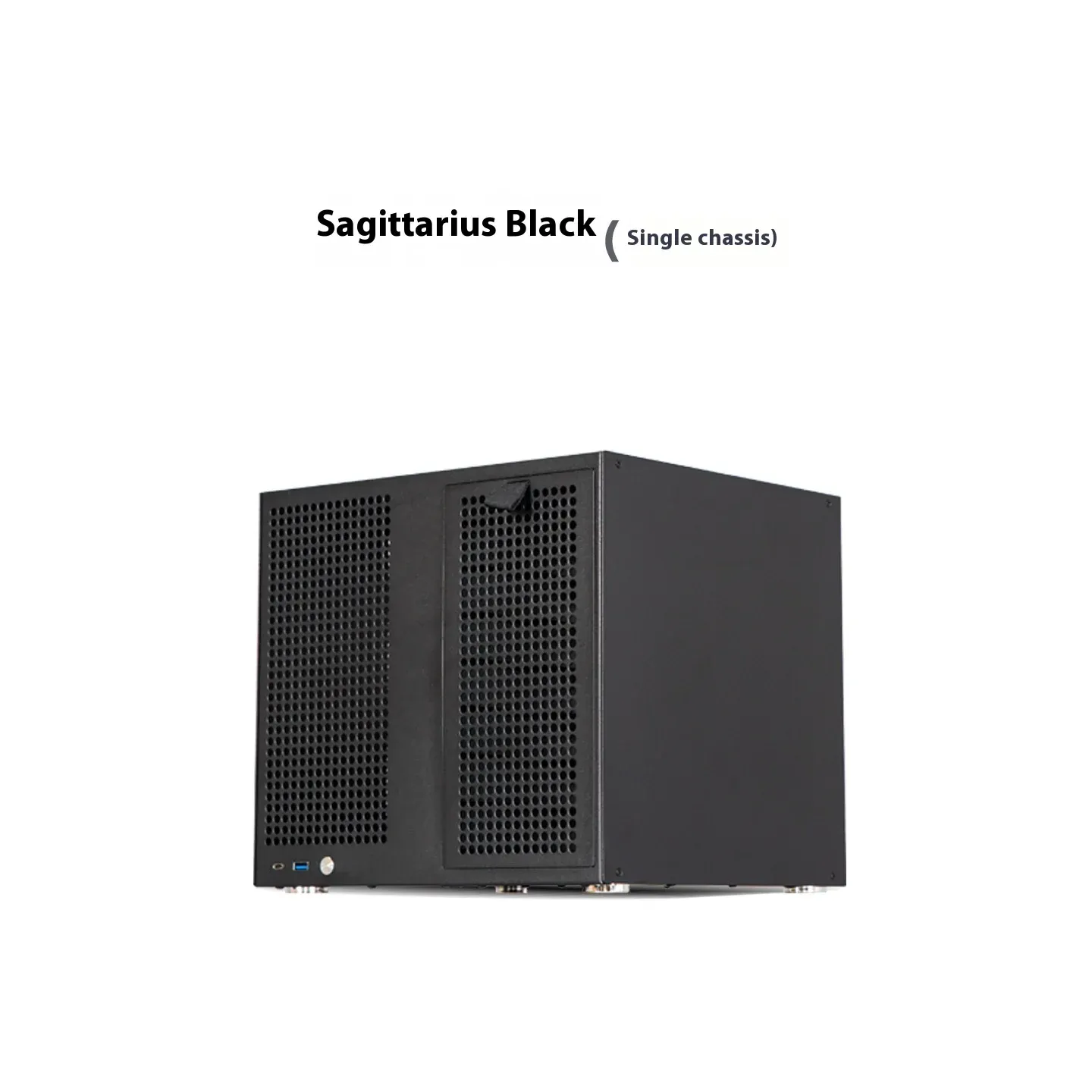
And then there’s the wild card. The Sagittarius is an obscure case sold on AliExpress by a small Chinese manufacturer. No brand recognition, no professional reviews, no retail presence outside of AliExpress and Taobao. Just a product listing with specifications that seemed too good to be true.
| Spec | Value |
|---|---|
| Motherboard | mATX / ITX |
| 3.5” Bays | 8 (hot-swap) |
| 2.5” Bays | 2 |
| PCIe Slots | 4 (full-height) |
| PSU | ATX / SFX |
| GPU | Full-height supported |
| Volume | 21.8L |
| Price | ~€120 (shipping included) |
| Colors | Black / White |
Why this won:
Read those specs again. 8 hot-swap 3.5” bays. mATX support. 4 full-height PCIe slots. All in 21.8 liters. For about €120 shipped.
This case matches or beats the Node 804 on every functional spec while being half the volume. It has more drive bays than the N4, full-height slots (unlike the N4), and costs a fraction of the N5.
Here’s the comparison that matters:
| Feature | Node 804 | N4 | N5 | Sagittarius |
|---|---|---|---|---|
| Motherboard | mATX | mATX | E-ATX | mATX |
| 3.5” Bays | 8 | 6 | 12 | 8 |
| Full-height PCIe | ✅ 5 | ❌ (LP only) | ✅ 8 | ✅ 4 |
| Hot-swap | ❌ | ❌ | ✅ | ✅ |
| Volume | 40.3L | 19.6L | 50.2L | 21.8L |
| Price | ~€120+ | ~€170 | ~€250-300 | ~€120 |
The Sagittarius is the only case that hits every requirement without compromise:
- mATX ✅ — 4 RAM slots, multiple SATA, full expansion
- Full-height PCIe ✅ — real GPU for AI inference
- 8 hot-swap bays ✅ — more than enough for a ZFS array with room to grow
- Compact ✅ — 21.8L is barely larger than the ITX-only N3
- Affordable ✅ — ~€120 delivered, shipping included
Is it a risk? Absolutely. This is an unbranded case from AliExpress with no long-term track record. Build quality is an unknown. Customer support is effectively nonexistent. If something is wrong, the return process involves international shipping.
But the specs speak for themselves. No case from an established brand offers this combination of features at this size and price. The Node 804 is the closest, but at twice the volume. The N4 looks better but cripples GPU support. The N5 does everything but costs more and is enormous.
Sometimes the right answer comes from the most unexpected place.
What’s Next
The case is ordered. While it ships from China, the next decision is choosing the CPU — the component that determines how many VMs and containers the build can handle, and whether media transcoding is a breeze or a bottleneck.
The build is getting real.