Choosing the CPU: From Vintage Bargains to Modern Efficiency
Why I abandoned the idea of cheap 4th-7th gen Intel CPUs and chose Alder Lake instead — comparing the i3-13100, i5-12400, and i5-14500 for a Proxmox homelab with Plex transcoding.
On this page
With the case selected, it’s time to pick what goes inside it. And no component shapes the character of a build more than the CPU. It determines how many VMs and containers you can run, how much power the system draws at idle, and whether media transcoding is a smooth background task or a bottleneck.
The Temptation of Older Generations
My first instinct was to go old. Really old.
4th through 7th generation Intel Core processors — the Haswell, Skylake, Kaby Lake era — are everywhere on the used market. An i5-6500 goes for €15-25. An i7-4770 for €20-30. The motherboards are equally cheap and abundant. For a homelab on a budget, it seemed perfect: spend €50 total on CPU + board, and put the savings into RAM and storage where it matters more.
I spent a good week going down this path before realizing it was a trap.
Why Old Chips Don’t Make Sense Anymore
Power efficiency has improved dramatically. A 4th gen i5-4570 has a 84W TDP and in practice idles at 35-45W as a system. A 12th gen i5-12400 has a 65W TDP but idles at 20-25W as a system. For a machine that runs 24/7, that idle difference of 15-20W translates to roughly €25-35/year in electricity at European rates. The “cheap” old CPU pays for the price difference in power costs within 2-3 years — and then keeps costing you more every year after that.
Instruction set and feature support. Newer CPUs bring AVX-512 (on some SKUs), improved AES-NI throughput, and better memory controller efficiency. These aren’t theoretical — ZFS checksumming, TLS termination, and container density all benefit from modern silicon.
Quick Sync generations aren’t equal. This was the real dealbreaker. If you run Plex or Jellyfin and want hardware-accelerated transcoding, the iGPU generation matters enormously. A 6th gen Skylake supports H.264 encode/decode, but HEVC is decode-only and has no AV1 support at all. A 12th gen Alder Lake handles H.264, HEVC, and AV1 encode/decode — all in hardware. With streaming libraries increasingly moving to HEVC and AV1, an older Quick Sync is a dead end. You’d be forcing CPU-based software transcoding for exactly the codecs that will dominate in the next few years.
Building today for tomorrow. This is a platform I’ll run for 3-5 years. Starting with a CPU from 2014-2017 means starting with a platform that’s already 8-11 years old. The motherboards are approaching end-of-life for capacitor reliability. The DDR3/DDR4 ecosystem is shrinking. Every year that passes makes spare parts harder to find. Starting with a modern baseline — even a modest one — gives the build a much longer useful life.
The savings were real, but they were short-sighted. Time to look at what’s actually current.
The Contenders
With older generations off the table, I narrowed the field to three Intel CPUs available on the used market at good prices. All are LGA 1700 (12th/13th/14th gen), which means the same motherboard platform, same DDR4 or DDR5 support, and a clear upgrade path if needed later.
Intel Core i3-13100
| Spec | Value |
|---|---|
| Cores / Threads | 4C / 8T |
| Architecture | Raptor Lake (13th gen) |
| Base / Boost | 3.4 / 4.5 GHz |
| TDP | 60W (PBP) / 89W (MTP) |
| iGPU | UHD 730 (Quick Sync, AV1 decode) |
| Used Price | ~€65 |
The budget option. Four performance cores, no efficiency cores, competent Quick Sync with AV1 decode support. For a homelab running Docker containers and some light VMs, 4 cores and 8 threads is genuinely enough for most workloads. Home Assistant, Pi-hole, Zigbee2MQTT, monitoring — none of these are CPU-intensive.
The concern: Four cores is comfortable today, but it leaves no headroom. If I want to run Proxmox with multiple VMs — say, a dedicated OPNsense firewall VM, a NAS VM, and a Docker host VM — each one wants at least 1-2 cores. Suddenly 4 cores isn’t comfortable, it’s tight. And adding AI inference later (even CPU-only for light tasks) would push it over the edge.
Intel Core i5-12400
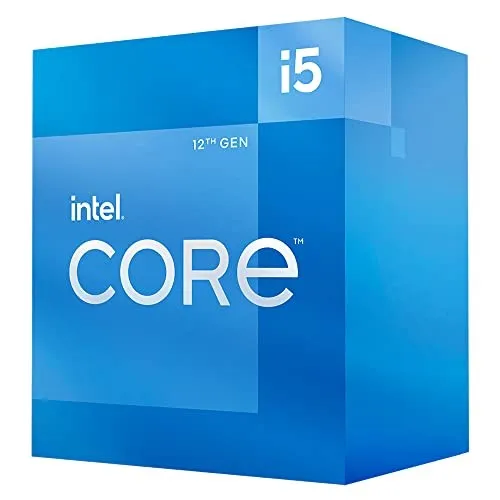
| Spec | Value |
|---|---|
| Cores / Threads | 6C / 12T |
| Architecture | Alder Lake (12th gen) |
| Base / Boost | 2.5 / 4.4 GHz |
| TDP | 65W (PBP) / 117W (MTP) |
| iGPU | UHD 730 (Quick Sync, AV1 decode) |
| Used Price | ~€100 |
The sweet spot. Six performance cores, twelve threads, same Quick Sync capability as the i3-13100. Alder Lake was the generation that transformed Intel’s efficiency story — the jump from 11th to 12th gen in performance-per-watt was massive.
Why it’s interesting: 50% more cores for about €35 more. That’s the kind of price-to-performance ratio that makes the decision easy. Six cores means I can comfortably allocate 2 cores to an OPNsense VM, 2 to a NAS/storage VM, and still have 2 cores plus hyperthreading for the Docker host. Room to breathe.
Intel Core i5-14500
| Spec | Value |
|---|---|
| Cores / Threads | 6P+8E / 20T |
| Architecture | Raptor Lake Refresh (14th gen) |
| Base / Boost | 2.6 / 5.0 GHz |
| TDP | 65W (PBP) / 148W (MTP) |
| iGPU | UHD 770 (Quick Sync, AV1 encode+decode) |
| Used Price | ~€180-200 |
The premium option. A hybrid architecture with 6 performance cores and 8 efficiency cores — 14 cores total, 20 threads. The UHD 770 adds AV1 hardware encoding, not just decode. On paper, this is the best chip in the comparison by every metric.
Why I passed: Price. At ~€180-200 used, it costs nearly double the i5-12400 for a workload that doesn’t need 14 cores. The extra E-cores are brilliant for desktop multitasking, but in a server context where workloads are allocated to VMs with pinned cores, 8 efficiency cores sitting mostly idle aren’t worth the premium. The AV1 encode capability is nice, but Plex/Jellyfin primarily need decode (for playing AV1 content), and both the i3-13100 and i5-12400 handle that.
What About T Variants?
Intel sells “T” variants of most desktop CPUs — the i5-12400T, for example — with lower TDP ratings (35W PBP instead of 65W). At first glance, these seem ideal for a 24/7 server: same cores, lower power.
In practice, the T suffix is a marketing trap for this use case.
The TDP difference applies to sustained load, not idle. At idle — which is where a homelab spends 90%+ of its time — the standard and T variants consume virtually the same power. Both drop to the same C-states, the same voltages, the same idle draw. The T variant just limits how high the CPU can boost under load, which means it’s slower when you need it (compiling, transcoding, VM operations) without being meaningfully more efficient when you don’t.
You’d pay more for a T variant (they’re rarer on the used market) and get less performance. The standard i5-12400 with good BIOS power management settings will idle at the same wattage as the 12400T.
The Decision: i5-12400
| Criteria | i3-13100 | i5-12400 | i5-14500 |
|---|---|---|---|
| Cores / Threads | 4C / 8T | 6C / 12T | 6P+8E / 20T |
| Quick Sync | AV1 decode | AV1 decode | AV1 encode+decode |
| Used Price | ~€65 | ~€100 | ~€180-200 |
| Idle Power (system) | ~18-22W | ~20-25W | ~22-28W |
| VM Headroom | Tight | Comfortable | Overkill |
The i5-12400 wins on the metric that matters most: value per core for a virtualized workload.
Here’s the reasoning:
-
50% more cores for 54% more money — but in absolute terms, that’s €35 for 2 extra cores and 4 extra threads. In a Proxmox environment where every VM wants dedicated cores, going from 4 to 6 is the difference between “everything barely fits” and “room to grow.”
-
Negligible idle power difference — the i3-13100 and i5-12400 idle within 2-3W of each other as a complete system. Over a year at European electricity rates, that’s roughly €3-5. The i5’s extra cores cost €35 upfront but add essentially nothing to the ongoing electricity bill.
-
Quick Sync is equivalent — both have UHD 730 with the same transcode capabilities. Plex and Jellyfin will hardware-transcode H.264, HEVC, and AV1 identically on either chip.
-
Future VM scaling — the plan is to run Proxmox, not bare metal Docker. That means each service can get its own isolated VM. Six cores gives me the flexibility to spin up additional VMs for testing, development, or new services without immediately hitting a wall.
The i3-13100 would have been fine for today’s workload. But “fine for today” is exactly the trap I’m trying to avoid — the same logic that led to buying the NiPoGi mini PC, which was “fine” until it wasn’t. The i5-12400 buys breathing room at a price that’s hard to argue with.
The i5-14500 is a great CPU, but it solves a problem I don’t have. Fourteen cores in a homelab that runs 20-30 containers across 3-4 VMs is paying for capacity that will sit unused. If the workload ever outgrows 6 cores, I can drop in a 13th or 14th gen i5/i7 on the same LGA 1700 socket.
What’s Next
The CPU is decided. Next up: the motherboard — the component that ties everything together and determines what RAM, storage, and expansion options are available. That’s a rabbit hole of its own.